The short answer
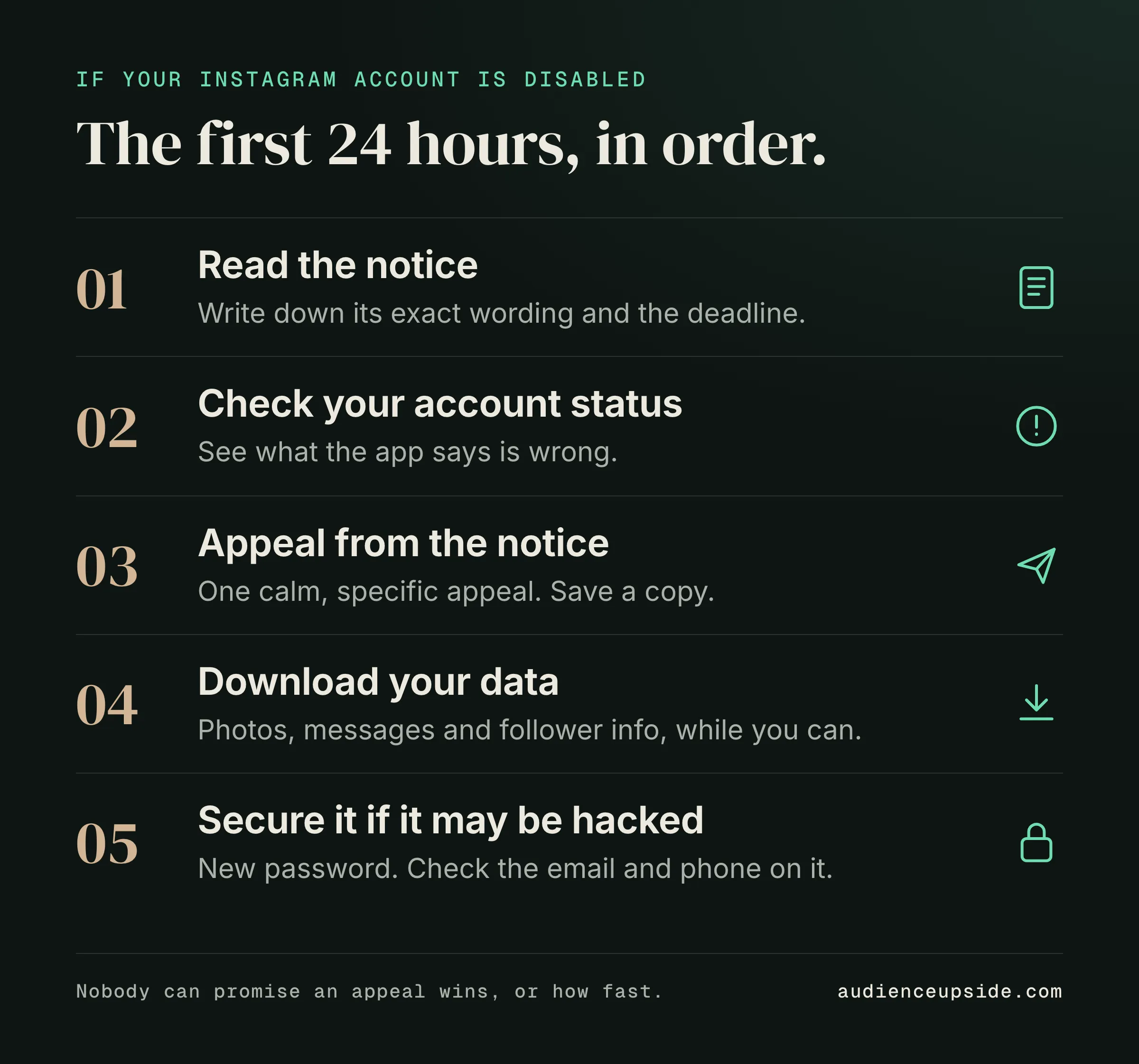
If your Instagram account is disabled, open the notice on your screen and appeal from there. Check your account status, download whatever data you can, and secure the account if you think it was hacked. Nobody can promise an appeal wins or how long it takes, so work the steps in order.
A lot of you tell me the account you built is suddenly gone behind a notice. When an Instagram account gets disabled, the instinct is to start clicking everything. The order you do things in matters more than speed.
I got shut down on Instagram and four other platforms, so I’m telling this from my own experience. This article walks you through the steps in a calm order, says plainly what nobody can promise, and shows you what to change before you post again.
Why was my Instagram account disabled?
Start with the reason, because the reason decides everything you do next. The notice on your screen is your first clue. Read it slowly and write down what it says, word for word, before you touch anything else.
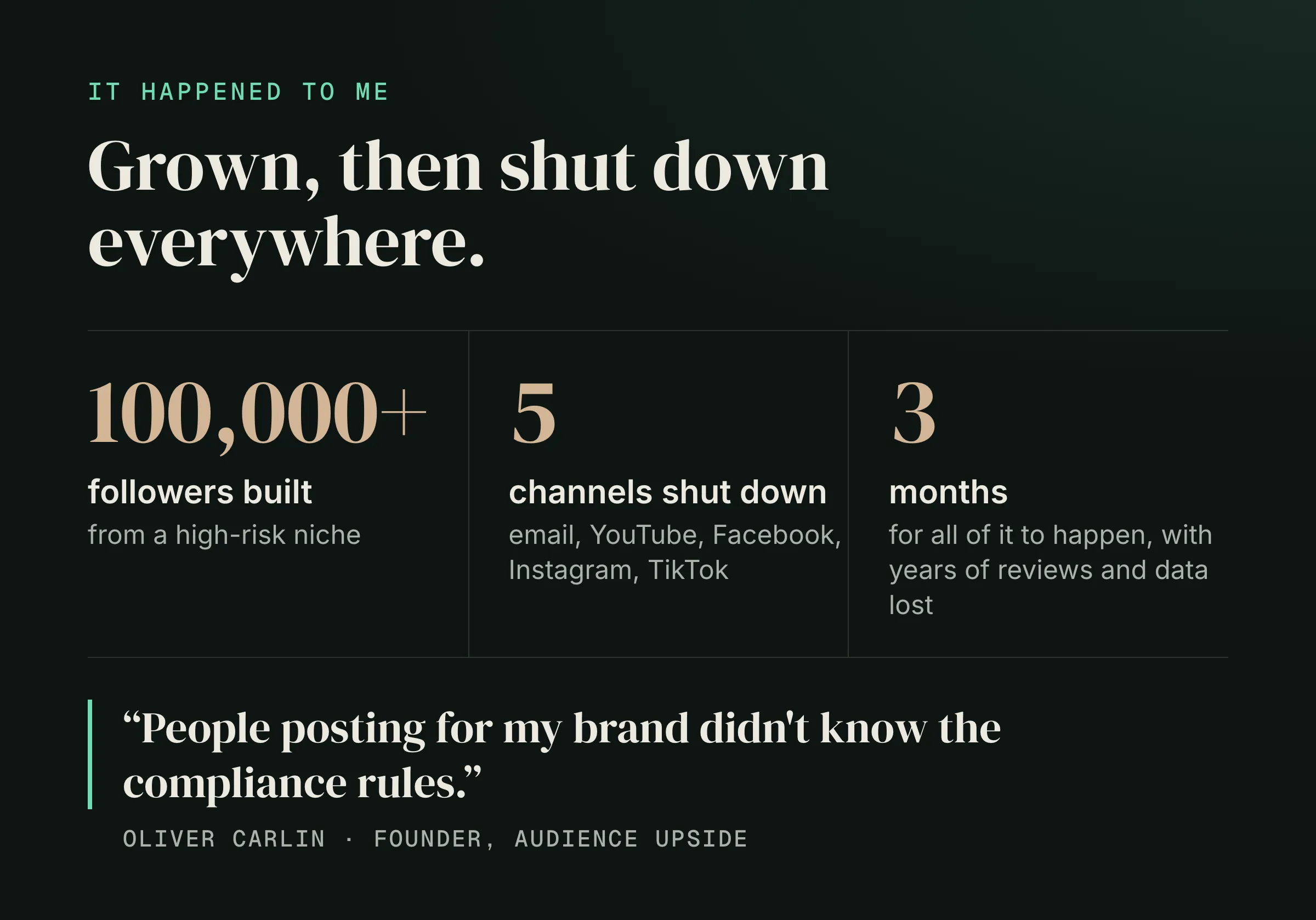
I’ll tell you what happened to me, because it shaped everything I teach. I come from a high-risk niche. I grew to over 100,000 followers, and then I got shut down everywhere within three months: email, YouTube, Facebook, Instagram and TikTok. People posting for my brand didn’t know the compliance rules, and I lost reviews and data I’d spent years building. (The full story is here.)
Here’s what that taught me. A shutdown usually feels random from the inside, but the cause is often something you or someone posting for you put out there. Captions, claims, images, who has access to the account. You can’t find the likely reason by guessing, so go through the recent posts and the notice side by side.
I can’t tell you why your specific account was disabled, and neither can anyone guessing from the outside. What I can tell you is to treat the reason as the thing to find first, because your appeal and your next posts both depend on it.
- Read the notice on your screen and write down its exact wording.
- List your last several posts, captions and Stories before the notice appeared.
- Note anyone else who has posted for you or has the login.
- Check whether you changed anything just before it happened, like a new bio, link or post type.
How do I appeal a disabled Instagram account?
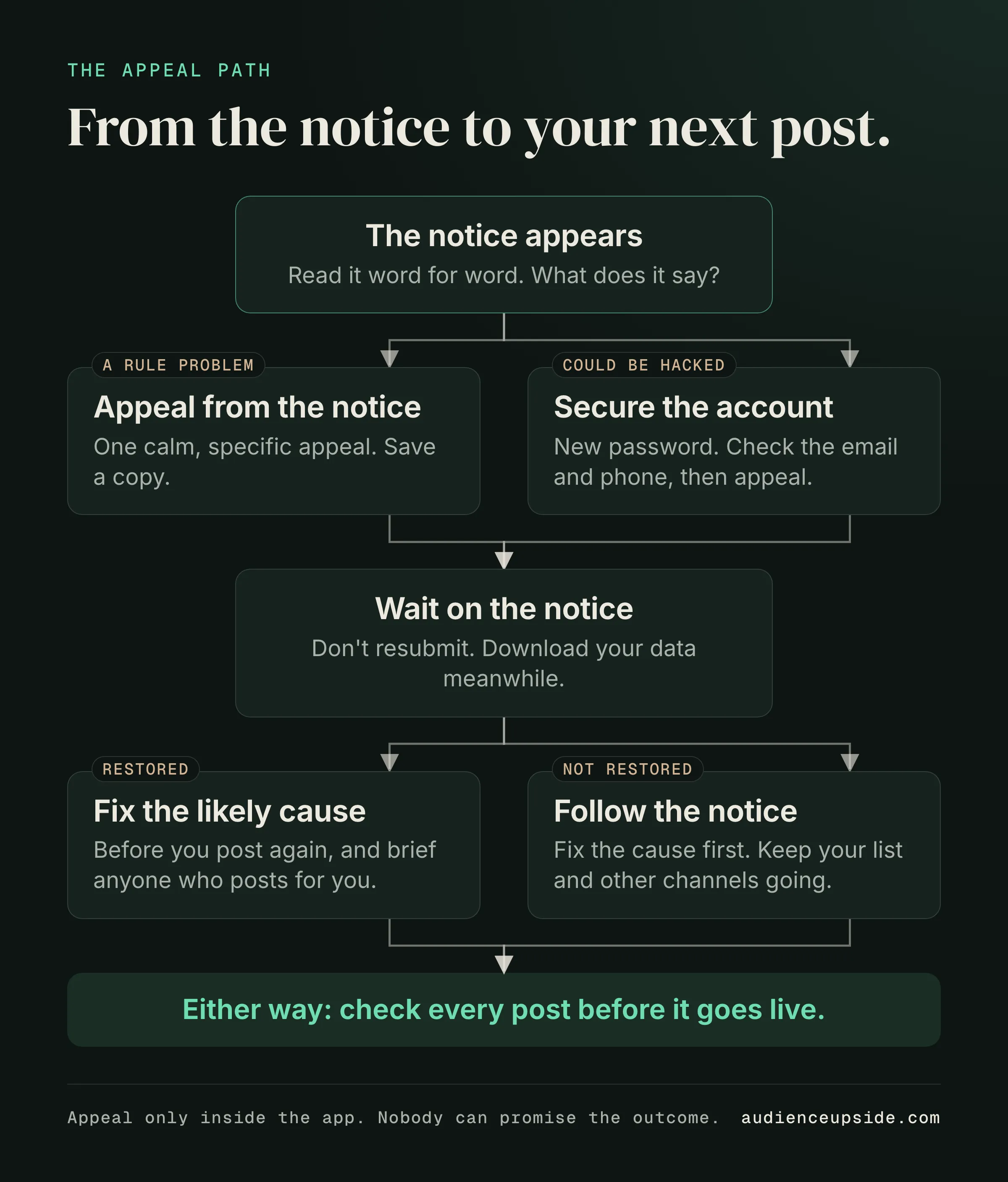
Appeal from the notice itself. The official route is inside the app, through the notice and Instagram’s own help and account status screens. That’s the way back, and nothing else substitutes for it.
Keep your appeal plain and specific. Say who you are, say the account belongs to you, and say what you believe happened. Don’t write an angry essay. Don’t send the same appeal over and over in a rush; send one clear one and keep a copy of what you wrote.
When my accounts went down, the thing that hurt most was how much I’d lost at once. That’s why I now say the same thing to every creator: your appeal is only part of the job. The rest is protecting what you can still reach.
I built Audience Upside because we’re trying to protect the user and their account so it doesn’t get shut down. We help you find the likely reason, draft your appeal and give you a recovery plan, and you can download your work any time. But whether you use a tool or do it by hand, the steps below are the order I’d follow.
- Check your account status inside the app so you know exactly what Instagram says is wrong.
- Appeal from the notice on your screen, using the in-app option rather than a third party.
- Write one calm, specific appeal: it’s your account, and here is what you believe happened.
- Save a copy of what you submitted and the time you sent it.
- Don’t resubmit again and again; wait on the notice before doing anything else.
How long does an Instagram appeal take, and how long do I have?
Here’s where I’ll be straight with you, because plenty of pages aren’t. The times you’ll read online disagree with each other. Some say a day, some say weeks. No one can promise you how long an appeal takes or that it will win.
The deadline that matters is the one on your own notice. It sets how long you have to appeal before the account is removed. Don’t trust a number from a blog, including this one. Trust the date and wording on your screen.
While you wait, use the time. Download your data while you still can. Your photos, your messages and your follower information are the things you can’t rebuild from memory. I lost reviews and data I’d spent years building, so I’m not casual about this.
If you think the account may have been hacked rather than disabled for a rule problem, secure it too. Change your password, check which emails and phone numbers are attached, and review where you’re logged in. A disabled account, a suspended one and a hacked one are different situations, so match your steps to what your notice actually says.
- Find the deadline on your own notice and write it down.
- Download your data from the account while you can still get to it.
- If hacking is possible, change your password and check the email and phone attached to the account.
- Don’t rely on any time estimate from a website; your notice is the only one that counts.
Can I make a new account while I appeal?
It’s tempting. You want your audience back and you want to post. I’d slow down here. Opening a new account in a rush, and posting the same way that got the first one disabled, can put you right back where you started.
Use the waiting time to fix what you control. Go back to those recent posts and look at how you wrote them. If someone else posted for you, make sure they know the rules before they post again. In my case, the people posting for my brand didn’t know the compliance rules, and that gap was part of what cost me.
I can’t tell you whether a new account is right for your situation, because it depends on your notice and what the platform told you. What I can say is that whatever you post next should be checked before it goes live, not after. That’s the big idea behind what I built: your copy is checked before you post, and you’re not left alone if it happens.
I won’t ever tell you that you’ll never get shut down. Nobody can promise that.
- Fix the likely cause before you post anything new, on any account.
- Brief anyone who posts for you on the rules before they publish again.
- Check every caption and claim before it goes live, not after.
- Keep your email list and other channels alive, so one account is never everything you have.
Questions people ask
Why was my Instagram account disabled?
Only the notice on your screen and a close look at your recent posts can point to the likely reason, and I can’t tell you the cause for your account from the outside. Read the notice word for word, then compare it against your recent captions, claims and who has had access.
How do I appeal a disabled Instagram account?
Appeal from the notice inside the app, through Instagram’s own help and account status screens. Send one calm, specific appeal saying the account is yours and what you believe happened, and keep a copy of it.
How long does an Instagram appeal take?
No one can promise a time or that the appeal wins, and the times you’ll find online disagree. Go by what your own notice says and use the waiting time to download your data.
How long do I have to appeal before it’s deleted?
The notice on your screen sets the deadline, so go by that and not a number from a website. Write the date down as soon as you see it.
Can I make a new account while I appeal?
I’d slow down before doing that. Posting the same way on a new account can put you back in the same spot, so fix the likely cause and check your copy before you post anything.
What’s the difference between disabled, suspended and hacked?
Your notice and account status tell you which one you’re dealing with. If hacking is possible, secure the account by changing your password and checking the email and phone attached to it.
What to do next
The one thing to do next: before your next post, check it. If you want help with that, Audience Upside checks your copy before you post. Start with the free Creator Audit: about 60 seconds, no payment.
I’m Oliver, and I built Audience Upside so you don’t have to learn this the way I did. Read how it happened.
General information for creators, not financial, legal or tax advice. Results vary; nothing here is a promise of revenue, earnings or business results.